Customer Experience
How Video Navigation Is Transforming the Patient Journey
Danny Roman
November 3, 2025
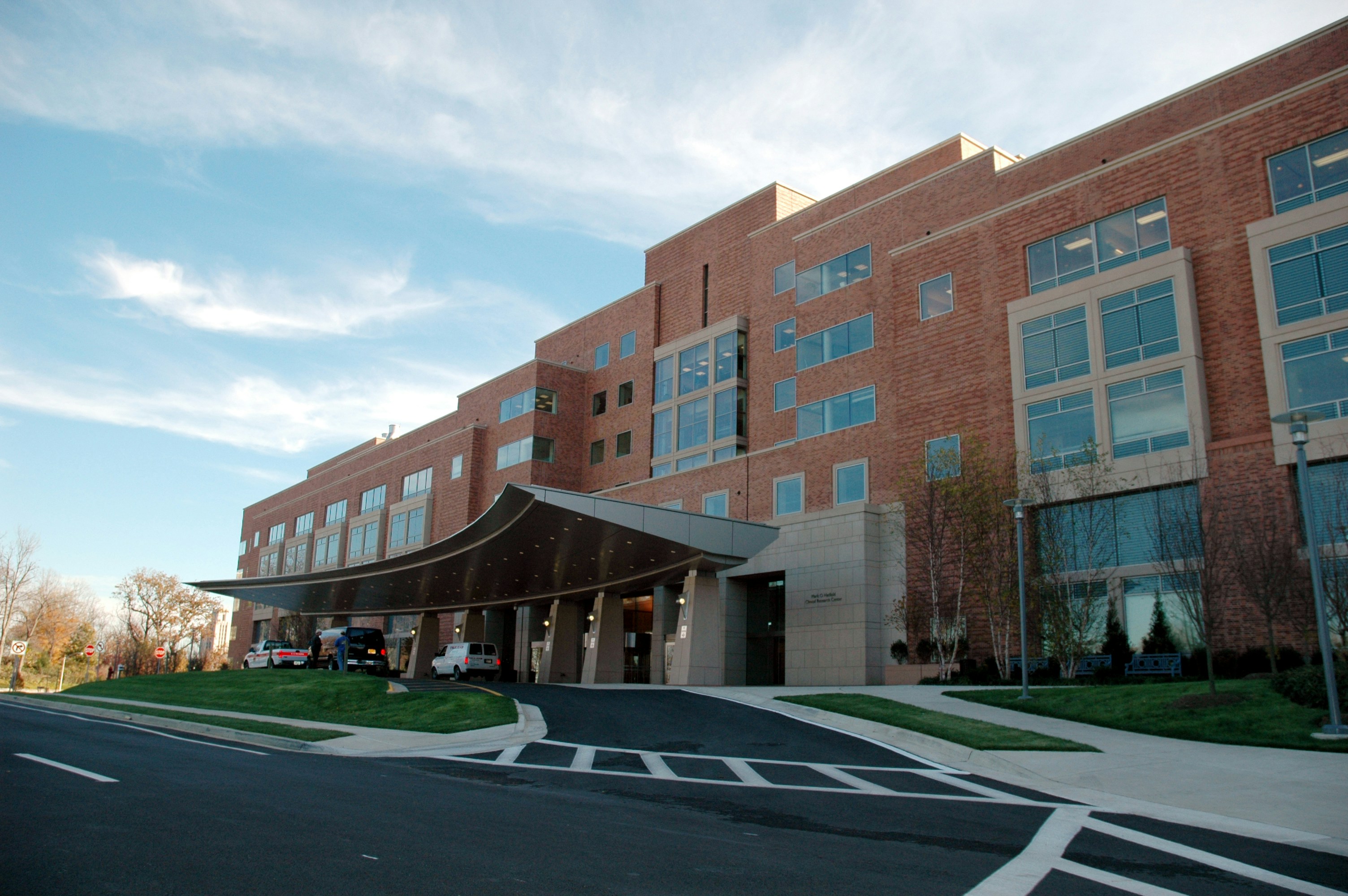
In our previous healthcare post, we explored why traditional digital wayfinding systems—despite good intentions and significant investment—have struggled to achieve widespread adoption in healthcare facilities. The challenges of hardware maintenance, app download friction, and abstract blue-dot interfaces created barriers that prevented these systems from truly serving patient needs.
Now, a fundamentally different approach is changing what's possible. Video-based navigation addresses the core limitations of earlier solutions while dramatically improving the experience for patients, visitors, and healthcare staff alike.
The Video Navigation Breakthrough
Video navigation takes a fundamentally different approach, one that aligns with how humans naturally navigate and give directions to each other. Instead of showing an abstract blue dot moving across a two-dimensional map, video-based wayfinding shows users actual footage of the route they need to take.
Imagine receiving turn-by-turn directions where each instruction is accompanied by a short video clip showing exactly what you'll see at that decision point:
The coffee shop you'll pass on your right
The specific corridor you'll turn down after the pharmacy
The distinctive artwork that marks your destination hallway
The actual reception desk you're looking for
This is navigation that speaks the language of human spatial cognition—the same way a helpful friend would give you directions in person.
How Visual Positioning Systems Work
The technology enabling this experience is sophisticated, yet the user experience feels remarkably simple. Visual positioning systems (VPS) represent a breakthrough in indoor navigation:
Creating the digital foundation: The system builds a detailed digital representation of the physical space—sometimes called a "digital twin"—by processing visual information from the facility. This creates an accurate map of the environment without requiring any hardware installation.
Real-time visual matching: When a user's smartphone camera sees their surroundings, the system matches what the camera captures against this digital map to determine precise location and orientation.
Intuitive guidance delivery: Rather than showing abstract maps, the system presents video clips of the actual route, showing users exactly what they'll encounter at each decision point.
This approach mirrors the "see what I see" principle that makes human-to-human directions so effective. When you ask someone for directions, they instinctively describe landmarks and visual cues: "Go down this hallway until you see the red chairs, then turn right past the pharmacy." Video navigation brings this same intuitive, landmark-based guidance to digital wayfinding.
The App-less Advantage
Perhaps most importantly, modern video navigation eliminates the app download barrier entirely. Instead of requiring a dedicated application, users can access navigation guidance through any web browser on their smartphone.
Access is instant and frictionless:
QR codes in parking garages and building entrances
SMS links sent with appointment reminders
Email buttons in appointment confirmation messages
Patient portal integration directly within systems like Epic's MyChart
Website integration for pre-arrival planning
No download. No account creation. No permissions to grant. No storage space required. The technology works immediately through tools patients already use every day.
Pre-Appointment Navigation: Reducing Anxiety Before Arrival
One of the most powerful applications of video navigation is delivering guidance to patients before they even leave home. This pre-arrival approach fundamentally changes the patient experience by addressing navigation anxiety at its source.
Consider the traditional patient journey: someone receives an appointment confirmation with a street address. They might look up general directions to the hospital, but they have no idea where to park, which entrance to use, or how to navigate once inside. This uncertainty builds anxiety in the days leading up to the appointment—especially for patients already stressed about medical procedures or diagnoses.
Modern video wayfinding transforms this experience through integration with existing communication touchpoints:
Appointment Confirmation Emails: The moment a patient books an appointment, the confirmation email includes a "View Directions to Your Appointment" button. Clicking this opens comprehensive guidance in their browser:
Which parking structure or lot to use
The specific entrance they'll need
An overview of the route from parking to their destination
Estimated walking time
Patients can review this information days before their visit, building familiarity and confidence.
72-Hour and 24-Hour Reminders: Appointment reminder messages include the navigation link again, ensuring patients have easy access as their visit approaches. For text message reminders, a simple link opens the full video navigation experience.
Epic MyChart Integration: For health systems using Epic's patient portal, navigation links can be embedded directly in MyChart. When patients check their upcoming appointments or review pre-visit instructions, the wayfinding guidance is right there—no need to search for it separately.
Day-of-Arrival SMS: On the morning of the appointment, patients receive a text: "Your appointment is today at 2:00 PM. Tap here for directions." The link takes them directly to navigation starting from their current location.
This multi-touchpoint approach has measurable impact on key operational metrics:
Reduced No-Show Rates: Navigation anxiety contributes to missed appointments, particularly for first-time patients unfamiliar with the facility. When patients feel confident about finding their destination, they're more likely to attend.
Fewer Late Arrivals: Patients who know exactly where to park and how to navigate from their car to their appointment arrive on time, helping maintain schedule integrity throughout the day.
Lower Pre-Appointment Anxiety: Healthcare research shows that navigation uncertainty adds to the stress patients already feel about medical visits. Providing clear guidance days in advance helps patients focus on their health rather than logistics.
Improved Patient Satisfaction: First impressions matter enormously. Patients who arrive calm and on time start their healthcare experience positively, which influences their perception of the entire visit.
The Benefits of Landmark-Based Visual Guidance
The cognitive advantages of video navigation over abstract mapping are profound, particularly in the context of healthcare where users often experience high stress and anxiety.
Natural Cognitive Processing
Humans navigate the real world using landmarks and visual cues, not bird's-eye maps. Video navigation works with our natural cognitive patterns:
Immediate recognition: Seeing the actual environment requires no mental translation from abstract to physical space
Reduced cognitive load: Users don't need to figure out orientation, interpret symbols, or convert 2D maps to 3D reality
Confidence building: Each recognized landmark confirms you're on the right path
Stress reduction: Clear visual guidance eliminates the uncertainty that drives navigation anxiety
For patients already dealing with health concerns and medical terminology, removing the cognitive burden of map interpretation represents a meaningful improvement in their overall experience.
Universal Accessibility
Video navigation naturally accommodates diverse patient populations in ways that traditional mapping cannot:
Elderly visitors who might struggle with abstract map reading can easily follow visual guidance showing familiar elements of the environment.
International patients and families facing language barriers can understand visual directions even when text instructions prove challenging.
Visitors with cognitive differences or high anxiety find that seeing the actual route reduces uncertainty and builds confidence.
People with limited mobility benefit from routes that visually show accessible paths, automatic doors, and elevator locations.
The visual nature of the guidance naturally accommodates different learning styles and abilities, supporting both legal accessibility requirements and the broader goal of inclusive design.
Real-World Impact: Sarah's Journey
To understand how these benefits translate into lived experience, consider Sarah's journey to her pulmonology appointment at a large academic medical center.
Sarah has chronic lung disease and sees her specialist every three months, but each previous visit to this particular hospital campus has been stressful. The facility sprawls across multiple buildings connected by skyways, with departments scattered across different floors and wings. She's gotten lost every single time.
Before the Visit
This time, things are different from the start. When Sarah receives her appointment confirmation email three days before the visit, she notices a prominent button: "Get directions to your appointment." She clicks it out of curiosity and her phone browser opens to show a map of the hospital campus with her destination highlighted.
She can preview the entire journey virtually—seeing video clips of the parking structure, the skyway entrance, and the route to the pulmonology department. Just reviewing this guidance days before her appointment reduces her anxiety. She knows what to expect.
The system asks if she'll be arriving by car or public transit. She selects car, and the system shows her:
Which parking structure to use (Structure B, Level 3 recommended)
Where the structure is located relative to her destination
Video preview of the route she'll take
Estimated 8-minute walking time
A note that she can access the navigation link again when she arrives
The next day, she receives her 24-hour appointment reminder text, which also includes the navigation link. No app download was required. The entire interaction happened through her email, text messages, and web browser—communication channels she already uses daily.
Day of the Appointment
Sarah pulls into the recommended parking structure and opens the appointment email on her phone. She clicks the navigation link again, and this time the system recognizes she's in the parking garage.
A friendly interface shows:
Her current location in the structure
Her destination department
Estimated walking time (8 minutes)
A "Start Navigation" button
She taps the button, and a short video clip immediately plays, showing the view from exactly where she's parked. The video shows a person walking toward the elevators, and text overlay notes: "Take the elevator to the Skyway Level."
Following Visual Guidance
Sarah follows along, and as she enters the elevator, the app automatically senses her movement and advances to the next segment. When the elevator doors open on the Skyway Level, she sees exactly what the previous video showed her—the distinctive blue and silver artwork on the wall that the video used as a landmark.
The next video segment shows:
The path across the skyway bridge into the main hospital building
The coffee shop she'll pass on her right
Where to turn after the pharmacy
Which elevator to take ("look for the South Elevators near the patient library")
The approach to the pulmonology department with its distinctive wooden reception desk
Each video clip is short—just 10-15 seconds—showing exactly what she needs to see for the next decision point.
The Outcome
Sarah arrives seven minutes before her scheduled appointment time, calm and collected. She didn't need to stop and ask anyone for directions. She didn't experience the familiar anxiety of wondering whether she'd taken a wrong turn. The confidence she felt arriving on time and unstressed carried into her appointment, where she was fully present to discuss her treatment plan.
For the hospital, Sarah's smooth experience represents exactly what modern wayfinding should accomplish:
Removing a barrier to care
Improving the patient experience
Reducing the operational burden of wayfinding assistance
Building confidence for future visits
Measurable Benefits for Healthcare Organizations
The transition from traditional indoor mapping to video-based navigation delivers improvements across multiple operational dimensions:
Patient Experience and Satisfaction
Reduced stress and anxiety: Clear visual guidance helps patients arrive calm and prepared for their appointments rather than flustered from getting lost.
Improved HCAHPS scores: The Hospital Consumer Assessment of Healthcare Providers and Systems survey reflects cumulative patient experience. While HCAHPS doesn't directly ask about wayfinding, navigation significantly impacts:
Overall hospital rating
Likelihood to recommend
Perceptions of staff responsiveness
First impression of the facility
Higher adoption rates: Because video navigation requires no app download and uses familiar technology (web browsers, text messages), actual usage rates far exceed traditional systems. A solution that 70% of patients use delivers vastly more value than one that only 15% adopt.
Operational Efficiency
Schedule optimization: When patients arrive on time rather than late or stressed, appointment workflows run more smoothly. A cardiology practice that typically experiences afternoon delays when morning patients arrive late finds that improved wayfinding helps maintain schedule integrity.
Reduced no-shows: Navigation difficulty contributes to missed appointments. Some facilities estimate each no-show costs hundreds of dollars in wasted clinical time and lost revenue. Video navigation addresses a preventable cause of these costly gaps.
Staff time savings: Front desk staff, nurses, and department receptionists currently spend considerable time giving directions. One hospital system found that freeing staff from wayfinding questions allowed them to focus on more valuable patient interactions, improving both efficiency and job satisfaction.
Decreased phone inquiries: Departments experience fewer calls from lost visitors asking for directions, reducing interruptions to clinical and administrative workflows.
Strategic Positioning
Innovation signal: Modern wayfinding demonstrates attention to patient needs and comfort with contemporary technology, aligning with broader digital transformation initiatives.
Competitive differentiation: In competitive healthcare markets, reputation for being accessible and patient-friendly provides genuine marketing value. Satisfied patients are more likely to recommend the facility and return for future care needs.
Brand enhancement: Being known as "the hospital that's easy to navigate" represents valuable differentiation, especially when patient experience increasingly drives healthcare consumer decisions.
The Technology Advantage: Hardware-Free Implementation
One of the most significant practical benefits of video navigation is what it doesn't require: no hardware installation within the facility itself.
Traditional beacon-based systems demand:
Dozens to hundreds of devices mounted throughout the facility
Professional installation and calibration
Ongoing battery replacement or electrical infrastructure
Maintenance visits when devices fail or signals drift
Recalibration after facility renovations
Video navigation using visual positioning systems eliminates these requirements:
No hardware to install: The system uses computer vision and existing smartphone cameras
No batteries to replace: There's no physical infrastructure requiring maintenance
Software-based updates: Facility changes are accommodated through digital map updates, not physical device adjustments
Simpler IT integration: Healthcare IT teams avoid adding another hardware system to monitor and maintain
This hardware-free approach dramatically simplifies both initial implementation and long-term operations, letting healthcare technology teams focus on more pressing clinical priorities.
Looking Ahead
Video-based navigation represents a fundamental shift in how we think about digital wayfinding—moving from systems that ask users to adapt to technology, toward technology that adapts to how users naturally navigate and understand space.
The success of this approach rests on a simple principle: the best technology feels invisible to users. People don't think about the sophisticated computer vision algorithms running behind the scenes. They simply experience intuitive, helpful guidance that shows them exactly where they need to go.
In our final post in this series, we'll explore what comes next for healthcare wayfinding. We'll examine emerging possibilities like dynamic route updates for temporary facility changes, personalized navigation based on mobility needs, and integration with electronic medical record systems. We'll also discuss how healthcare leaders can evaluate whether their current wayfinding approach truly serves patient needs—and what to consider when exploring modern alternatives.
In our previous healthcare post, we explored why traditional digital wayfinding systems—despite good intentions and significant investment—have struggled to achieve widespread adoption in healthcare facilities. The challenges of hardware maintenance, app download friction, and abstract blue-dot interfaces created barriers that prevented these systems from truly serving patient needs.
Now, a fundamentally different approach is changing what's possible. Video-based navigation addresses the core limitations of earlier solutions while dramatically improving the experience for patients, visitors, and healthcare staff alike.
The Video Navigation Breakthrough
Video navigation takes a fundamentally different approach, one that aligns with how humans naturally navigate and give directions to each other. Instead of showing an abstract blue dot moving across a two-dimensional map, video-based wayfinding shows users actual footage of the route they need to take.
Imagine receiving turn-by-turn directions where each instruction is accompanied by a short video clip showing exactly what you'll see at that decision point:
The coffee shop you'll pass on your right
The specific corridor you'll turn down after the pharmacy
The distinctive artwork that marks your destination hallway
The actual reception desk you're looking for
This is navigation that speaks the language of human spatial cognition—the same way a helpful friend would give you directions in person.
How Visual Positioning Systems Work
The technology enabling this experience is sophisticated, yet the user experience feels remarkably simple. Visual positioning systems (VPS) represent a breakthrough in indoor navigation:
Creating the digital foundation: The system builds a detailed digital representation of the physical space—sometimes called a "digital twin"—by processing visual information from the facility. This creates an accurate map of the environment without requiring any hardware installation.
Real-time visual matching: When a user's smartphone camera sees their surroundings, the system matches what the camera captures against this digital map to determine precise location and orientation.
Intuitive guidance delivery: Rather than showing abstract maps, the system presents video clips of the actual route, showing users exactly what they'll encounter at each decision point.
This approach mirrors the "see what I see" principle that makes human-to-human directions so effective. When you ask someone for directions, they instinctively describe landmarks and visual cues: "Go down this hallway until you see the red chairs, then turn right past the pharmacy." Video navigation brings this same intuitive, landmark-based guidance to digital wayfinding.
The App-less Advantage
Perhaps most importantly, modern video navigation eliminates the app download barrier entirely. Instead of requiring a dedicated application, users can access navigation guidance through any web browser on their smartphone.
Access is instant and frictionless:
QR codes in parking garages and building entrances
SMS links sent with appointment reminders
Email buttons in appointment confirmation messages
Patient portal integration directly within systems like Epic's MyChart
Website integration for pre-arrival planning
No download. No account creation. No permissions to grant. No storage space required. The technology works immediately through tools patients already use every day.
Pre-Appointment Navigation: Reducing Anxiety Before Arrival
One of the most powerful applications of video navigation is delivering guidance to patients before they even leave home. This pre-arrival approach fundamentally changes the patient experience by addressing navigation anxiety at its source.
Consider the traditional patient journey: someone receives an appointment confirmation with a street address. They might look up general directions to the hospital, but they have no idea where to park, which entrance to use, or how to navigate once inside. This uncertainty builds anxiety in the days leading up to the appointment—especially for patients already stressed about medical procedures or diagnoses.
Modern video wayfinding transforms this experience through integration with existing communication touchpoints:
Appointment Confirmation Emails: The moment a patient books an appointment, the confirmation email includes a "View Directions to Your Appointment" button. Clicking this opens comprehensive guidance in their browser:
Which parking structure or lot to use
The specific entrance they'll need
An overview of the route from parking to their destination
Estimated walking time
Patients can review this information days before their visit, building familiarity and confidence.
72-Hour and 24-Hour Reminders: Appointment reminder messages include the navigation link again, ensuring patients have easy access as their visit approaches. For text message reminders, a simple link opens the full video navigation experience.
Epic MyChart Integration: For health systems using Epic's patient portal, navigation links can be embedded directly in MyChart. When patients check their upcoming appointments or review pre-visit instructions, the wayfinding guidance is right there—no need to search for it separately.
Day-of-Arrival SMS: On the morning of the appointment, patients receive a text: "Your appointment is today at 2:00 PM. Tap here for directions." The link takes them directly to navigation starting from their current location.
This multi-touchpoint approach has measurable impact on key operational metrics:
Reduced No-Show Rates: Navigation anxiety contributes to missed appointments, particularly for first-time patients unfamiliar with the facility. When patients feel confident about finding their destination, they're more likely to attend.
Fewer Late Arrivals: Patients who know exactly where to park and how to navigate from their car to their appointment arrive on time, helping maintain schedule integrity throughout the day.
Lower Pre-Appointment Anxiety: Healthcare research shows that navigation uncertainty adds to the stress patients already feel about medical visits. Providing clear guidance days in advance helps patients focus on their health rather than logistics.
Improved Patient Satisfaction: First impressions matter enormously. Patients who arrive calm and on time start their healthcare experience positively, which influences their perception of the entire visit.
The Benefits of Landmark-Based Visual Guidance
The cognitive advantages of video navigation over abstract mapping are profound, particularly in the context of healthcare where users often experience high stress and anxiety.
Natural Cognitive Processing
Humans navigate the real world using landmarks and visual cues, not bird's-eye maps. Video navigation works with our natural cognitive patterns:
Immediate recognition: Seeing the actual environment requires no mental translation from abstract to physical space
Reduced cognitive load: Users don't need to figure out orientation, interpret symbols, or convert 2D maps to 3D reality
Confidence building: Each recognized landmark confirms you're on the right path
Stress reduction: Clear visual guidance eliminates the uncertainty that drives navigation anxiety
For patients already dealing with health concerns and medical terminology, removing the cognitive burden of map interpretation represents a meaningful improvement in their overall experience.
Universal Accessibility
Video navigation naturally accommodates diverse patient populations in ways that traditional mapping cannot:
Elderly visitors who might struggle with abstract map reading can easily follow visual guidance showing familiar elements of the environment.
International patients and families facing language barriers can understand visual directions even when text instructions prove challenging.
Visitors with cognitive differences or high anxiety find that seeing the actual route reduces uncertainty and builds confidence.
People with limited mobility benefit from routes that visually show accessible paths, automatic doors, and elevator locations.
The visual nature of the guidance naturally accommodates different learning styles and abilities, supporting both legal accessibility requirements and the broader goal of inclusive design.
Real-World Impact: Sarah's Journey
To understand how these benefits translate into lived experience, consider Sarah's journey to her pulmonology appointment at a large academic medical center.
Sarah has chronic lung disease and sees her specialist every three months, but each previous visit to this particular hospital campus has been stressful. The facility sprawls across multiple buildings connected by skyways, with departments scattered across different floors and wings. She's gotten lost every single time.
Before the Visit
This time, things are different from the start. When Sarah receives her appointment confirmation email three days before the visit, she notices a prominent button: "Get directions to your appointment." She clicks it out of curiosity and her phone browser opens to show a map of the hospital campus with her destination highlighted.
She can preview the entire journey virtually—seeing video clips of the parking structure, the skyway entrance, and the route to the pulmonology department. Just reviewing this guidance days before her appointment reduces her anxiety. She knows what to expect.
The system asks if she'll be arriving by car or public transit. She selects car, and the system shows her:
Which parking structure to use (Structure B, Level 3 recommended)
Where the structure is located relative to her destination
Video preview of the route she'll take
Estimated 8-minute walking time
A note that she can access the navigation link again when she arrives
The next day, she receives her 24-hour appointment reminder text, which also includes the navigation link. No app download was required. The entire interaction happened through her email, text messages, and web browser—communication channels she already uses daily.
Day of the Appointment
Sarah pulls into the recommended parking structure and opens the appointment email on her phone. She clicks the navigation link again, and this time the system recognizes she's in the parking garage.
A friendly interface shows:
Her current location in the structure
Her destination department
Estimated walking time (8 minutes)
A "Start Navigation" button
She taps the button, and a short video clip immediately plays, showing the view from exactly where she's parked. The video shows a person walking toward the elevators, and text overlay notes: "Take the elevator to the Skyway Level."
Following Visual Guidance
Sarah follows along, and as she enters the elevator, the app automatically senses her movement and advances to the next segment. When the elevator doors open on the Skyway Level, she sees exactly what the previous video showed her—the distinctive blue and silver artwork on the wall that the video used as a landmark.
The next video segment shows:
The path across the skyway bridge into the main hospital building
The coffee shop she'll pass on her right
Where to turn after the pharmacy
Which elevator to take ("look for the South Elevators near the patient library")
The approach to the pulmonology department with its distinctive wooden reception desk
Each video clip is short—just 10-15 seconds—showing exactly what she needs to see for the next decision point.
The Outcome
Sarah arrives seven minutes before her scheduled appointment time, calm and collected. She didn't need to stop and ask anyone for directions. She didn't experience the familiar anxiety of wondering whether she'd taken a wrong turn. The confidence she felt arriving on time and unstressed carried into her appointment, where she was fully present to discuss her treatment plan.
For the hospital, Sarah's smooth experience represents exactly what modern wayfinding should accomplish:
Removing a barrier to care
Improving the patient experience
Reducing the operational burden of wayfinding assistance
Building confidence for future visits
Measurable Benefits for Healthcare Organizations
The transition from traditional indoor mapping to video-based navigation delivers improvements across multiple operational dimensions:
Patient Experience and Satisfaction
Reduced stress and anxiety: Clear visual guidance helps patients arrive calm and prepared for their appointments rather than flustered from getting lost.
Improved HCAHPS scores: The Hospital Consumer Assessment of Healthcare Providers and Systems survey reflects cumulative patient experience. While HCAHPS doesn't directly ask about wayfinding, navigation significantly impacts:
Overall hospital rating
Likelihood to recommend
Perceptions of staff responsiveness
First impression of the facility
Higher adoption rates: Because video navigation requires no app download and uses familiar technology (web browsers, text messages), actual usage rates far exceed traditional systems. A solution that 70% of patients use delivers vastly more value than one that only 15% adopt.
Operational Efficiency
Schedule optimization: When patients arrive on time rather than late or stressed, appointment workflows run more smoothly. A cardiology practice that typically experiences afternoon delays when morning patients arrive late finds that improved wayfinding helps maintain schedule integrity.
Reduced no-shows: Navigation difficulty contributes to missed appointments. Some facilities estimate each no-show costs hundreds of dollars in wasted clinical time and lost revenue. Video navigation addresses a preventable cause of these costly gaps.
Staff time savings: Front desk staff, nurses, and department receptionists currently spend considerable time giving directions. One hospital system found that freeing staff from wayfinding questions allowed them to focus on more valuable patient interactions, improving both efficiency and job satisfaction.
Decreased phone inquiries: Departments experience fewer calls from lost visitors asking for directions, reducing interruptions to clinical and administrative workflows.
Strategic Positioning
Innovation signal: Modern wayfinding demonstrates attention to patient needs and comfort with contemporary technology, aligning with broader digital transformation initiatives.
Competitive differentiation: In competitive healthcare markets, reputation for being accessible and patient-friendly provides genuine marketing value. Satisfied patients are more likely to recommend the facility and return for future care needs.
Brand enhancement: Being known as "the hospital that's easy to navigate" represents valuable differentiation, especially when patient experience increasingly drives healthcare consumer decisions.
The Technology Advantage: Hardware-Free Implementation
One of the most significant practical benefits of video navigation is what it doesn't require: no hardware installation within the facility itself.
Traditional beacon-based systems demand:
Dozens to hundreds of devices mounted throughout the facility
Professional installation and calibration
Ongoing battery replacement or electrical infrastructure
Maintenance visits when devices fail or signals drift
Recalibration after facility renovations
Video navigation using visual positioning systems eliminates these requirements:
No hardware to install: The system uses computer vision and existing smartphone cameras
No batteries to replace: There's no physical infrastructure requiring maintenance
Software-based updates: Facility changes are accommodated through digital map updates, not physical device adjustments
Simpler IT integration: Healthcare IT teams avoid adding another hardware system to monitor and maintain
This hardware-free approach dramatically simplifies both initial implementation and long-term operations, letting healthcare technology teams focus on more pressing clinical priorities.
Looking Ahead
Video-based navigation represents a fundamental shift in how we think about digital wayfinding—moving from systems that ask users to adapt to technology, toward technology that adapts to how users naturally navigate and understand space.
The success of this approach rests on a simple principle: the best technology feels invisible to users. People don't think about the sophisticated computer vision algorithms running behind the scenes. They simply experience intuitive, helpful guidance that shows them exactly where they need to go.
In our final post in this series, we'll explore what comes next for healthcare wayfinding. We'll examine emerging possibilities like dynamic route updates for temporary facility changes, personalized navigation based on mobility needs, and integration with electronic medical record systems. We'll also discuss how healthcare leaders can evaluate whether their current wayfinding approach truly serves patient needs—and what to consider when exploring modern alternatives.
In our previous healthcare post, we explored why traditional digital wayfinding systems—despite good intentions and significant investment—have struggled to achieve widespread adoption in healthcare facilities. The challenges of hardware maintenance, app download friction, and abstract blue-dot interfaces created barriers that prevented these systems from truly serving patient needs.
Now, a fundamentally different approach is changing what's possible. Video-based navigation addresses the core limitations of earlier solutions while dramatically improving the experience for patients, visitors, and healthcare staff alike.
The Video Navigation Breakthrough
Video navigation takes a fundamentally different approach, one that aligns with how humans naturally navigate and give directions to each other. Instead of showing an abstract blue dot moving across a two-dimensional map, video-based wayfinding shows users actual footage of the route they need to take.
Imagine receiving turn-by-turn directions where each instruction is accompanied by a short video clip showing exactly what you'll see at that decision point:
The coffee shop you'll pass on your right
The specific corridor you'll turn down after the pharmacy
The distinctive artwork that marks your destination hallway
The actual reception desk you're looking for
This is navigation that speaks the language of human spatial cognition—the same way a helpful friend would give you directions in person.
How Visual Positioning Systems Work
The technology enabling this experience is sophisticated, yet the user experience feels remarkably simple. Visual positioning systems (VPS) represent a breakthrough in indoor navigation:
Creating the digital foundation: The system builds a detailed digital representation of the physical space—sometimes called a "digital twin"—by processing visual information from the facility. This creates an accurate map of the environment without requiring any hardware installation.
Real-time visual matching: When a user's smartphone camera sees their surroundings, the system matches what the camera captures against this digital map to determine precise location and orientation.
Intuitive guidance delivery: Rather than showing abstract maps, the system presents video clips of the actual route, showing users exactly what they'll encounter at each decision point.
This approach mirrors the "see what I see" principle that makes human-to-human directions so effective. When you ask someone for directions, they instinctively describe landmarks and visual cues: "Go down this hallway until you see the red chairs, then turn right past the pharmacy." Video navigation brings this same intuitive, landmark-based guidance to digital wayfinding.
The App-less Advantage
Perhaps most importantly, modern video navigation eliminates the app download barrier entirely. Instead of requiring a dedicated application, users can access navigation guidance through any web browser on their smartphone.
Access is instant and frictionless:
QR codes in parking garages and building entrances
SMS links sent with appointment reminders
Email buttons in appointment confirmation messages
Patient portal integration directly within systems like Epic's MyChart
Website integration for pre-arrival planning
No download. No account creation. No permissions to grant. No storage space required. The technology works immediately through tools patients already use every day.
Pre-Appointment Navigation: Reducing Anxiety Before Arrival
One of the most powerful applications of video navigation is delivering guidance to patients before they even leave home. This pre-arrival approach fundamentally changes the patient experience by addressing navigation anxiety at its source.
Consider the traditional patient journey: someone receives an appointment confirmation with a street address. They might look up general directions to the hospital, but they have no idea where to park, which entrance to use, or how to navigate once inside. This uncertainty builds anxiety in the days leading up to the appointment—especially for patients already stressed about medical procedures or diagnoses.
Modern video wayfinding transforms this experience through integration with existing communication touchpoints:
Appointment Confirmation Emails: The moment a patient books an appointment, the confirmation email includes a "View Directions to Your Appointment" button. Clicking this opens comprehensive guidance in their browser:
Which parking structure or lot to use
The specific entrance they'll need
An overview of the route from parking to their destination
Estimated walking time
Patients can review this information days before their visit, building familiarity and confidence.
72-Hour and 24-Hour Reminders: Appointment reminder messages include the navigation link again, ensuring patients have easy access as their visit approaches. For text message reminders, a simple link opens the full video navigation experience.
Epic MyChart Integration: For health systems using Epic's patient portal, navigation links can be embedded directly in MyChart. When patients check their upcoming appointments or review pre-visit instructions, the wayfinding guidance is right there—no need to search for it separately.
Day-of-Arrival SMS: On the morning of the appointment, patients receive a text: "Your appointment is today at 2:00 PM. Tap here for directions." The link takes them directly to navigation starting from their current location.
This multi-touchpoint approach has measurable impact on key operational metrics:
Reduced No-Show Rates: Navigation anxiety contributes to missed appointments, particularly for first-time patients unfamiliar with the facility. When patients feel confident about finding their destination, they're more likely to attend.
Fewer Late Arrivals: Patients who know exactly where to park and how to navigate from their car to their appointment arrive on time, helping maintain schedule integrity throughout the day.
Lower Pre-Appointment Anxiety: Healthcare research shows that navigation uncertainty adds to the stress patients already feel about medical visits. Providing clear guidance days in advance helps patients focus on their health rather than logistics.
Improved Patient Satisfaction: First impressions matter enormously. Patients who arrive calm and on time start their healthcare experience positively, which influences their perception of the entire visit.
The Benefits of Landmark-Based Visual Guidance
The cognitive advantages of video navigation over abstract mapping are profound, particularly in the context of healthcare where users often experience high stress and anxiety.
Natural Cognitive Processing
Humans navigate the real world using landmarks and visual cues, not bird's-eye maps. Video navigation works with our natural cognitive patterns:
Immediate recognition: Seeing the actual environment requires no mental translation from abstract to physical space
Reduced cognitive load: Users don't need to figure out orientation, interpret symbols, or convert 2D maps to 3D reality
Confidence building: Each recognized landmark confirms you're on the right path
Stress reduction: Clear visual guidance eliminates the uncertainty that drives navigation anxiety
For patients already dealing with health concerns and medical terminology, removing the cognitive burden of map interpretation represents a meaningful improvement in their overall experience.
Universal Accessibility
Video navigation naturally accommodates diverse patient populations in ways that traditional mapping cannot:
Elderly visitors who might struggle with abstract map reading can easily follow visual guidance showing familiar elements of the environment.
International patients and families facing language barriers can understand visual directions even when text instructions prove challenging.
Visitors with cognitive differences or high anxiety find that seeing the actual route reduces uncertainty and builds confidence.
People with limited mobility benefit from routes that visually show accessible paths, automatic doors, and elevator locations.
The visual nature of the guidance naturally accommodates different learning styles and abilities, supporting both legal accessibility requirements and the broader goal of inclusive design.
Real-World Impact: Sarah's Journey
To understand how these benefits translate into lived experience, consider Sarah's journey to her pulmonology appointment at a large academic medical center.
Sarah has chronic lung disease and sees her specialist every three months, but each previous visit to this particular hospital campus has been stressful. The facility sprawls across multiple buildings connected by skyways, with departments scattered across different floors and wings. She's gotten lost every single time.
Before the Visit
This time, things are different from the start. When Sarah receives her appointment confirmation email three days before the visit, she notices a prominent button: "Get directions to your appointment." She clicks it out of curiosity and her phone browser opens to show a map of the hospital campus with her destination highlighted.
She can preview the entire journey virtually—seeing video clips of the parking structure, the skyway entrance, and the route to the pulmonology department. Just reviewing this guidance days before her appointment reduces her anxiety. She knows what to expect.
The system asks if she'll be arriving by car or public transit. She selects car, and the system shows her:
Which parking structure to use (Structure B, Level 3 recommended)
Where the structure is located relative to her destination
Video preview of the route she'll take
Estimated 8-minute walking time
A note that she can access the navigation link again when she arrives
The next day, she receives her 24-hour appointment reminder text, which also includes the navigation link. No app download was required. The entire interaction happened through her email, text messages, and web browser—communication channels she already uses daily.
Day of the Appointment
Sarah pulls into the recommended parking structure and opens the appointment email on her phone. She clicks the navigation link again, and this time the system recognizes she's in the parking garage.
A friendly interface shows:
Her current location in the structure
Her destination department
Estimated walking time (8 minutes)
A "Start Navigation" button
She taps the button, and a short video clip immediately plays, showing the view from exactly where she's parked. The video shows a person walking toward the elevators, and text overlay notes: "Take the elevator to the Skyway Level."
Following Visual Guidance
Sarah follows along, and as she enters the elevator, the app automatically senses her movement and advances to the next segment. When the elevator doors open on the Skyway Level, she sees exactly what the previous video showed her—the distinctive blue and silver artwork on the wall that the video used as a landmark.
The next video segment shows:
The path across the skyway bridge into the main hospital building
The coffee shop she'll pass on her right
Where to turn after the pharmacy
Which elevator to take ("look for the South Elevators near the patient library")
The approach to the pulmonology department with its distinctive wooden reception desk
Each video clip is short—just 10-15 seconds—showing exactly what she needs to see for the next decision point.
The Outcome
Sarah arrives seven minutes before her scheduled appointment time, calm and collected. She didn't need to stop and ask anyone for directions. She didn't experience the familiar anxiety of wondering whether she'd taken a wrong turn. The confidence she felt arriving on time and unstressed carried into her appointment, where she was fully present to discuss her treatment plan.
For the hospital, Sarah's smooth experience represents exactly what modern wayfinding should accomplish:
Removing a barrier to care
Improving the patient experience
Reducing the operational burden of wayfinding assistance
Building confidence for future visits
Measurable Benefits for Healthcare Organizations
The transition from traditional indoor mapping to video-based navigation delivers improvements across multiple operational dimensions:
Patient Experience and Satisfaction
Reduced stress and anxiety: Clear visual guidance helps patients arrive calm and prepared for their appointments rather than flustered from getting lost.
Improved HCAHPS scores: The Hospital Consumer Assessment of Healthcare Providers and Systems survey reflects cumulative patient experience. While HCAHPS doesn't directly ask about wayfinding, navigation significantly impacts:
Overall hospital rating
Likelihood to recommend
Perceptions of staff responsiveness
First impression of the facility
Higher adoption rates: Because video navigation requires no app download and uses familiar technology (web browsers, text messages), actual usage rates far exceed traditional systems. A solution that 70% of patients use delivers vastly more value than one that only 15% adopt.
Operational Efficiency
Schedule optimization: When patients arrive on time rather than late or stressed, appointment workflows run more smoothly. A cardiology practice that typically experiences afternoon delays when morning patients arrive late finds that improved wayfinding helps maintain schedule integrity.
Reduced no-shows: Navigation difficulty contributes to missed appointments. Some facilities estimate each no-show costs hundreds of dollars in wasted clinical time and lost revenue. Video navigation addresses a preventable cause of these costly gaps.
Staff time savings: Front desk staff, nurses, and department receptionists currently spend considerable time giving directions. One hospital system found that freeing staff from wayfinding questions allowed them to focus on more valuable patient interactions, improving both efficiency and job satisfaction.
Decreased phone inquiries: Departments experience fewer calls from lost visitors asking for directions, reducing interruptions to clinical and administrative workflows.
Strategic Positioning
Innovation signal: Modern wayfinding demonstrates attention to patient needs and comfort with contemporary technology, aligning with broader digital transformation initiatives.
Competitive differentiation: In competitive healthcare markets, reputation for being accessible and patient-friendly provides genuine marketing value. Satisfied patients are more likely to recommend the facility and return for future care needs.
Brand enhancement: Being known as "the hospital that's easy to navigate" represents valuable differentiation, especially when patient experience increasingly drives healthcare consumer decisions.
The Technology Advantage: Hardware-Free Implementation
One of the most significant practical benefits of video navigation is what it doesn't require: no hardware installation within the facility itself.
Traditional beacon-based systems demand:
Dozens to hundreds of devices mounted throughout the facility
Professional installation and calibration
Ongoing battery replacement or electrical infrastructure
Maintenance visits when devices fail or signals drift
Recalibration after facility renovations
Video navigation using visual positioning systems eliminates these requirements:
No hardware to install: The system uses computer vision and existing smartphone cameras
No batteries to replace: There's no physical infrastructure requiring maintenance
Software-based updates: Facility changes are accommodated through digital map updates, not physical device adjustments
Simpler IT integration: Healthcare IT teams avoid adding another hardware system to monitor and maintain
This hardware-free approach dramatically simplifies both initial implementation and long-term operations, letting healthcare technology teams focus on more pressing clinical priorities.
Looking Ahead
Video-based navigation represents a fundamental shift in how we think about digital wayfinding—moving from systems that ask users to adapt to technology, toward technology that adapts to how users naturally navigate and understand space.
The success of this approach rests on a simple principle: the best technology feels invisible to users. People don't think about the sophisticated computer vision algorithms running behind the scenes. They simply experience intuitive, helpful guidance that shows them exactly where they need to go.
In our final post in this series, we'll explore what comes next for healthcare wayfinding. We'll examine emerging possibilities like dynamic route updates for temporary facility changes, personalized navigation based on mobility needs, and integration with electronic medical record systems. We'll also discuss how healthcare leaders can evaluate whether their current wayfinding approach truly serves patient needs—and what to consider when exploring modern alternatives.
In our previous healthcare post, we explored why traditional digital wayfinding systems—despite good intentions and significant investment—have struggled to achieve widespread adoption in healthcare facilities. The challenges of hardware maintenance, app download friction, and abstract blue-dot interfaces created barriers that prevented these systems from truly serving patient needs.
Now, a fundamentally different approach is changing what's possible. Video-based navigation addresses the core limitations of earlier solutions while dramatically improving the experience for patients, visitors, and healthcare staff alike.
The Video Navigation Breakthrough
Video navigation takes a fundamentally different approach, one that aligns with how humans naturally navigate and give directions to each other. Instead of showing an abstract blue dot moving across a two-dimensional map, video-based wayfinding shows users actual footage of the route they need to take.
Imagine receiving turn-by-turn directions where each instruction is accompanied by a short video clip showing exactly what you'll see at that decision point:
The coffee shop you'll pass on your right
The specific corridor you'll turn down after the pharmacy
The distinctive artwork that marks your destination hallway
The actual reception desk you're looking for
This is navigation that speaks the language of human spatial cognition—the same way a helpful friend would give you directions in person.
How Visual Positioning Systems Work
The technology enabling this experience is sophisticated, yet the user experience feels remarkably simple. Visual positioning systems (VPS) represent a breakthrough in indoor navigation:
Creating the digital foundation: The system builds a detailed digital representation of the physical space—sometimes called a "digital twin"—by processing visual information from the facility. This creates an accurate map of the environment without requiring any hardware installation.
Real-time visual matching: When a user's smartphone camera sees their surroundings, the system matches what the camera captures against this digital map to determine precise location and orientation.
Intuitive guidance delivery: Rather than showing abstract maps, the system presents video clips of the actual route, showing users exactly what they'll encounter at each decision point.
This approach mirrors the "see what I see" principle that makes human-to-human directions so effective. When you ask someone for directions, they instinctively describe landmarks and visual cues: "Go down this hallway until you see the red chairs, then turn right past the pharmacy." Video navigation brings this same intuitive, landmark-based guidance to digital wayfinding.
The App-less Advantage
Perhaps most importantly, modern video navigation eliminates the app download barrier entirely. Instead of requiring a dedicated application, users can access navigation guidance through any web browser on their smartphone.
Access is instant and frictionless:
QR codes in parking garages and building entrances
SMS links sent with appointment reminders
Email buttons in appointment confirmation messages
Patient portal integration directly within systems like Epic's MyChart
Website integration for pre-arrival planning
No download. No account creation. No permissions to grant. No storage space required. The technology works immediately through tools patients already use every day.
Pre-Appointment Navigation: Reducing Anxiety Before Arrival
One of the most powerful applications of video navigation is delivering guidance to patients before they even leave home. This pre-arrival approach fundamentally changes the patient experience by addressing navigation anxiety at its source.
Consider the traditional patient journey: someone receives an appointment confirmation with a street address. They might look up general directions to the hospital, but they have no idea where to park, which entrance to use, or how to navigate once inside. This uncertainty builds anxiety in the days leading up to the appointment—especially for patients already stressed about medical procedures or diagnoses.
Modern video wayfinding transforms this experience through integration with existing communication touchpoints:
Appointment Confirmation Emails: The moment a patient books an appointment, the confirmation email includes a "View Directions to Your Appointment" button. Clicking this opens comprehensive guidance in their browser:
Which parking structure or lot to use
The specific entrance they'll need
An overview of the route from parking to their destination
Estimated walking time
Patients can review this information days before their visit, building familiarity and confidence.
72-Hour and 24-Hour Reminders: Appointment reminder messages include the navigation link again, ensuring patients have easy access as their visit approaches. For text message reminders, a simple link opens the full video navigation experience.
Epic MyChart Integration: For health systems using Epic's patient portal, navigation links can be embedded directly in MyChart. When patients check their upcoming appointments or review pre-visit instructions, the wayfinding guidance is right there—no need to search for it separately.
Day-of-Arrival SMS: On the morning of the appointment, patients receive a text: "Your appointment is today at 2:00 PM. Tap here for directions." The link takes them directly to navigation starting from their current location.
This multi-touchpoint approach has measurable impact on key operational metrics:
Reduced No-Show Rates: Navigation anxiety contributes to missed appointments, particularly for first-time patients unfamiliar with the facility. When patients feel confident about finding their destination, they're more likely to attend.
Fewer Late Arrivals: Patients who know exactly where to park and how to navigate from their car to their appointment arrive on time, helping maintain schedule integrity throughout the day.
Lower Pre-Appointment Anxiety: Healthcare research shows that navigation uncertainty adds to the stress patients already feel about medical visits. Providing clear guidance days in advance helps patients focus on their health rather than logistics.
Improved Patient Satisfaction: First impressions matter enormously. Patients who arrive calm and on time start their healthcare experience positively, which influences their perception of the entire visit.
The Benefits of Landmark-Based Visual Guidance
The cognitive advantages of video navigation over abstract mapping are profound, particularly in the context of healthcare where users often experience high stress and anxiety.
Natural Cognitive Processing
Humans navigate the real world using landmarks and visual cues, not bird's-eye maps. Video navigation works with our natural cognitive patterns:
Immediate recognition: Seeing the actual environment requires no mental translation from abstract to physical space
Reduced cognitive load: Users don't need to figure out orientation, interpret symbols, or convert 2D maps to 3D reality
Confidence building: Each recognized landmark confirms you're on the right path
Stress reduction: Clear visual guidance eliminates the uncertainty that drives navigation anxiety
For patients already dealing with health concerns and medical terminology, removing the cognitive burden of map interpretation represents a meaningful improvement in their overall experience.
Universal Accessibility
Video navigation naturally accommodates diverse patient populations in ways that traditional mapping cannot:
Elderly visitors who might struggle with abstract map reading can easily follow visual guidance showing familiar elements of the environment.
International patients and families facing language barriers can understand visual directions even when text instructions prove challenging.
Visitors with cognitive differences or high anxiety find that seeing the actual route reduces uncertainty and builds confidence.
People with limited mobility benefit from routes that visually show accessible paths, automatic doors, and elevator locations.
The visual nature of the guidance naturally accommodates different learning styles and abilities, supporting both legal accessibility requirements and the broader goal of inclusive design.
Real-World Impact: Sarah's Journey
To understand how these benefits translate into lived experience, consider Sarah's journey to her pulmonology appointment at a large academic medical center.
Sarah has chronic lung disease and sees her specialist every three months, but each previous visit to this particular hospital campus has been stressful. The facility sprawls across multiple buildings connected by skyways, with departments scattered across different floors and wings. She's gotten lost every single time.
Before the Visit
This time, things are different from the start. When Sarah receives her appointment confirmation email three days before the visit, she notices a prominent button: "Get directions to your appointment." She clicks it out of curiosity and her phone browser opens to show a map of the hospital campus with her destination highlighted.
She can preview the entire journey virtually—seeing video clips of the parking structure, the skyway entrance, and the route to the pulmonology department. Just reviewing this guidance days before her appointment reduces her anxiety. She knows what to expect.
The system asks if she'll be arriving by car or public transit. She selects car, and the system shows her:
Which parking structure to use (Structure B, Level 3 recommended)
Where the structure is located relative to her destination
Video preview of the route she'll take
Estimated 8-minute walking time
A note that she can access the navigation link again when she arrives
The next day, she receives her 24-hour appointment reminder text, which also includes the navigation link. No app download was required. The entire interaction happened through her email, text messages, and web browser—communication channels she already uses daily.
Day of the Appointment
Sarah pulls into the recommended parking structure and opens the appointment email on her phone. She clicks the navigation link again, and this time the system recognizes she's in the parking garage.
A friendly interface shows:
Her current location in the structure
Her destination department
Estimated walking time (8 minutes)
A "Start Navigation" button
She taps the button, and a short video clip immediately plays, showing the view from exactly where she's parked. The video shows a person walking toward the elevators, and text overlay notes: "Take the elevator to the Skyway Level."
Following Visual Guidance
Sarah follows along, and as she enters the elevator, the app automatically senses her movement and advances to the next segment. When the elevator doors open on the Skyway Level, she sees exactly what the previous video showed her—the distinctive blue and silver artwork on the wall that the video used as a landmark.
The next video segment shows:
The path across the skyway bridge into the main hospital building
The coffee shop she'll pass on her right
Where to turn after the pharmacy
Which elevator to take ("look for the South Elevators near the patient library")
The approach to the pulmonology department with its distinctive wooden reception desk
Each video clip is short—just 10-15 seconds—showing exactly what she needs to see for the next decision point.
The Outcome
Sarah arrives seven minutes before her scheduled appointment time, calm and collected. She didn't need to stop and ask anyone for directions. She didn't experience the familiar anxiety of wondering whether she'd taken a wrong turn. The confidence she felt arriving on time and unstressed carried into her appointment, where she was fully present to discuss her treatment plan.
For the hospital, Sarah's smooth experience represents exactly what modern wayfinding should accomplish:
Removing a barrier to care
Improving the patient experience
Reducing the operational burden of wayfinding assistance
Building confidence for future visits
Measurable Benefits for Healthcare Organizations
The transition from traditional indoor mapping to video-based navigation delivers improvements across multiple operational dimensions:
Patient Experience and Satisfaction
Reduced stress and anxiety: Clear visual guidance helps patients arrive calm and prepared for their appointments rather than flustered from getting lost.
Improved HCAHPS scores: The Hospital Consumer Assessment of Healthcare Providers and Systems survey reflects cumulative patient experience. While HCAHPS doesn't directly ask about wayfinding, navigation significantly impacts:
Overall hospital rating
Likelihood to recommend
Perceptions of staff responsiveness
First impression of the facility
Higher adoption rates: Because video navigation requires no app download and uses familiar technology (web browsers, text messages), actual usage rates far exceed traditional systems. A solution that 70% of patients use delivers vastly more value than one that only 15% adopt.
Operational Efficiency
Schedule optimization: When patients arrive on time rather than late or stressed, appointment workflows run more smoothly. A cardiology practice that typically experiences afternoon delays when morning patients arrive late finds that improved wayfinding helps maintain schedule integrity.
Reduced no-shows: Navigation difficulty contributes to missed appointments. Some facilities estimate each no-show costs hundreds of dollars in wasted clinical time and lost revenue. Video navigation addresses a preventable cause of these costly gaps.
Staff time savings: Front desk staff, nurses, and department receptionists currently spend considerable time giving directions. One hospital system found that freeing staff from wayfinding questions allowed them to focus on more valuable patient interactions, improving both efficiency and job satisfaction.
Decreased phone inquiries: Departments experience fewer calls from lost visitors asking for directions, reducing interruptions to clinical and administrative workflows.
Strategic Positioning
Innovation signal: Modern wayfinding demonstrates attention to patient needs and comfort with contemporary technology, aligning with broader digital transformation initiatives.
Competitive differentiation: In competitive healthcare markets, reputation for being accessible and patient-friendly provides genuine marketing value. Satisfied patients are more likely to recommend the facility and return for future care needs.
Brand enhancement: Being known as "the hospital that's easy to navigate" represents valuable differentiation, especially when patient experience increasingly drives healthcare consumer decisions.
The Technology Advantage: Hardware-Free Implementation
One of the most significant practical benefits of video navigation is what it doesn't require: no hardware installation within the facility itself.
Traditional beacon-based systems demand:
Dozens to hundreds of devices mounted throughout the facility
Professional installation and calibration
Ongoing battery replacement or electrical infrastructure
Maintenance visits when devices fail or signals drift
Recalibration after facility renovations
Video navigation using visual positioning systems eliminates these requirements:
No hardware to install: The system uses computer vision and existing smartphone cameras
No batteries to replace: There's no physical infrastructure requiring maintenance
Software-based updates: Facility changes are accommodated through digital map updates, not physical device adjustments
Simpler IT integration: Healthcare IT teams avoid adding another hardware system to monitor and maintain
This hardware-free approach dramatically simplifies both initial implementation and long-term operations, letting healthcare technology teams focus on more pressing clinical priorities.
Looking Ahead
Video-based navigation represents a fundamental shift in how we think about digital wayfinding—moving from systems that ask users to adapt to technology, toward technology that adapts to how users naturally navigate and understand space.
The success of this approach rests on a simple principle: the best technology feels invisible to users. People don't think about the sophisticated computer vision algorithms running behind the scenes. They simply experience intuitive, helpful guidance that shows them exactly where they need to go.
In our final post in this series, we'll explore what comes next for healthcare wayfinding. We'll examine emerging possibilities like dynamic route updates for temporary facility changes, personalized navigation based on mobility needs, and integration with electronic medical record systems. We'll also discuss how healthcare leaders can evaluate whether their current wayfinding approach truly serves patient needs—and what to consider when exploring modern alternatives.

Nayzak, everyone in my team works towards the samegoal. This enabled our teams to ship new ideas and feel more capable. Podcasting operational
— Carl Sagan
You might also like...


Copyright ©2024 RouteMe. All rights reserved.
Copyright ©2024 RouteMe. All rights reserved.
Copyright ©2024 RouteMe. All rights reserved.